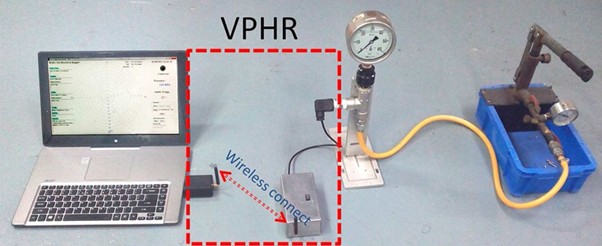
The VPHR (Very Portable Hydrotest Recorder) revolutionises pressure testing with its compact, battery-free design. This guide walks you through the complete setup process to get your VPHR operational quickly and efficiently.
What's in the Box
Before starting, verify you have all components:
- VPHR main recording unit
- Pressure transmitter with cable
- USB data cable
- Quick-connect fittings
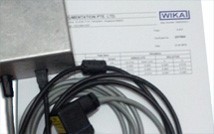
- Calibration certificate
- User manual
Complete VPHR kit
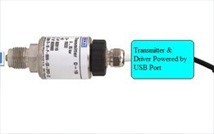
Pressure transmitter
Software interface
Step-by-Step Installation
Step 1: Install the Software
Download and install the VPHR software on your laptop or PC. The software is compatible with Windows 7/8/10/11 and requires no special drivers.
Step 2: Connect the Transmitter
Connect the pressure transmitter cable to the VPHR unit. The connector is keyed to prevent incorrect insertion. Ensure a firm connection—you should hear a click.
Step 3: Mount the Transmitter
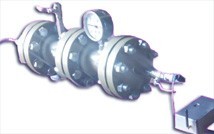
Install the pressure transmitter at a test point on your pipeline or vessel. Use appropriate thread sealant and ensure the connection is leak-free before pressurising.
Step 4: Power On
The VPHR powers up automatically when connected to a PC via USB. No external power supply or batteries are required—the unit draws power directly from the USB port.
Step 5: Configure Test Parameters
Open the VPHR software and configure your test parameters: test pressure, hold time, sampling rate, and acceptable pressure drop limits.
⚠️ Safety First
Always ensure the test area is clear of personnel before pressurising. Follow your organisation's safety procedures and wear appropriate PPE during hydrotest operations.
Configuration Options
Sampling Rate
The VPHR supports sampling rates from 1 sample per second to 1 sample per minute. Higher rates provide more detailed data but generate larger files. For most tests, 1 sample per second is recommended.
Test Duration
Configure the test duration based on your requirements. The VPHR can record continuously for extended periods, limited only by storage capacity (typically 1 million+ data points).
Pressure Units
Select your preferred pressure units: PSI, Bar, kPa, or MPa. The software automatically converts readings for your convenience.
Running a Test
- Verify all connections are secure and leak-free
- Click "Start Recording" in the software
- Pressurise the system to test pressure
- Monitor the real-time pressure graph
- Wait for the specified hold time
- Click "Stop Recording" to end the test
- Generate and export your PDF report
Generating Reports
The VPHR software automatically generates professional PDF reports including:
- Pressure vs. time graph
- Maximum, minimum, and average pressures
- Pressure drop calculation
- Test date, time, and duration
- Pass/fail status based on your criteria
- Digital signature capability
Need a VPHR for Your Operations?
Contact us to learn more about the VPHR or request a demonstration.
View Product Details